CES 2012 Tablet Roundup

Device Overview

  • Acer Iconia Tab A700: 10" 1080p screen with a quad core CPU
  • Acer Iconia Tab A510: An update to the 10" Acer Iconia A500 with quad core CPU and Android 4.0
  • ASUS Eee Pad Transformer Prime TF700: An update to the 10" Transformer Prime TF201 with a new design, 1080p screen and 2MP camera
  • ASUS Eee Pad MeMO ME370T: 7" quad core Android tablet for a great price of US$249
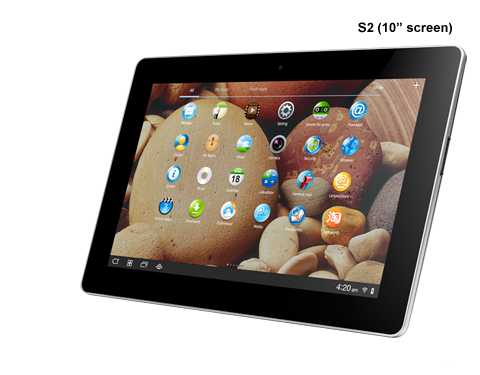
  • Lenovo IdeaTab S2: 10" Android 4.0 tablet with optional keyboard dock
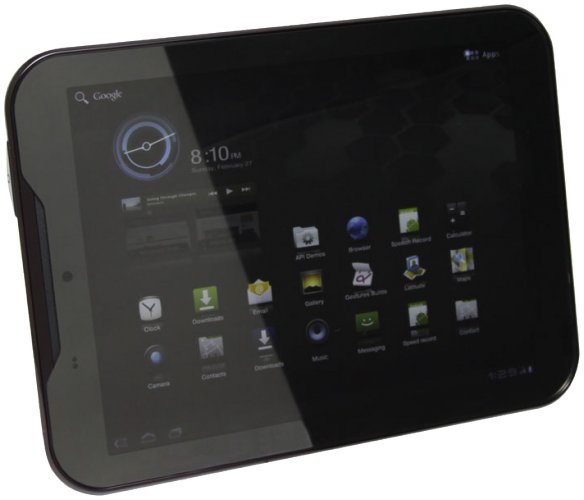
  • Pantech Element: 8" LTE tablet with Android 3.2
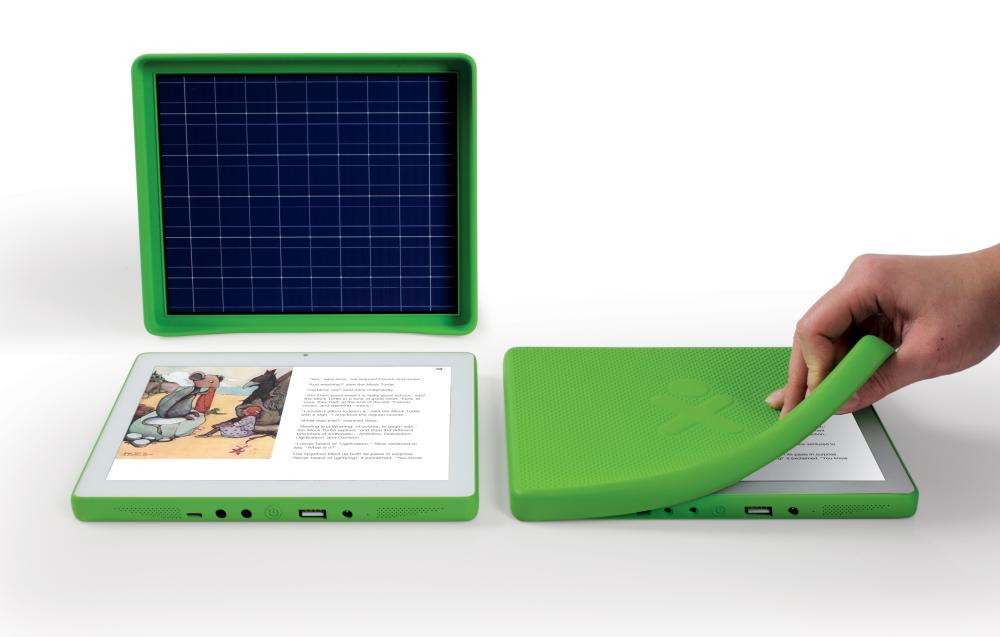
  • XO 3.0: The One-Laptop-Per-Child (OLPC)’s US$100 tablet targetting developing nations

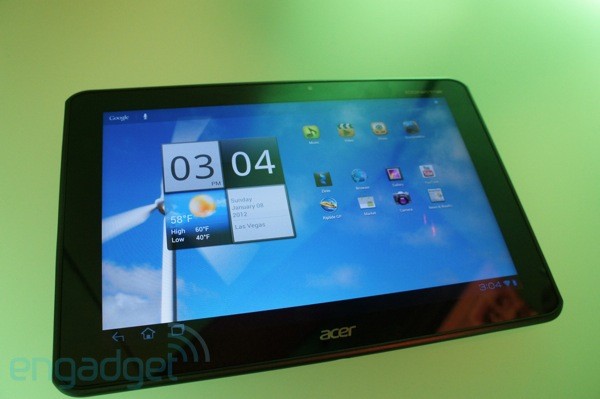
Acer Iconia Tab A700

Acer Iconia Tab A700 - via Engadget

  • 10" 1080p (1920 x 1200) "IPS like" screen
  • Quad-core 1.3GHz Tegra 3 CPU, 1GB RAM
  • Android 4.0 (Ice Cream Sandwich)
  • HDMI-port, microSD and micro USB
  • Expected in Q2 2012
  • Links: Engadget, The Verge, TechRadar, Image via Engadget

Acer Iconia Tab A510

  • 10" (1280 x 800) screen
  • Quad-core 1.3GHz Tegra 3 CPU, 1GB RAM
  • Android 4.0 (Ice Cream Sandwich)
  • An updated Iconia Tab A500 but with quad core CPU and ICS
  • Links: The Verge, PhoneArena, Android Central

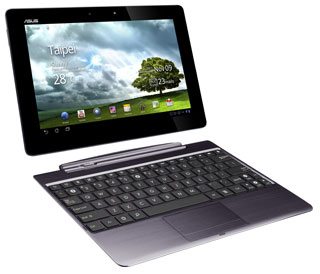
ASUS Eee Pad Transformer Prime TF700

ASUS Transformer Prime TF700

  • 10" (1920 x 1200) super IPS+, Gorilla Glass screen
  • Quad-core 1.3GHz Tegra 3 CPU
  • 8MP rear camera, 2MP front camera
  • Android 4.0
  • Skyrim w/ splashtop
  • Compared to older Transformer TF201: New design, higher resolution (1920×1200 vs 1280×800), better front facing camera (2MP)
  • Links: ASUS press release, The Verge, Engadget, Android Police,

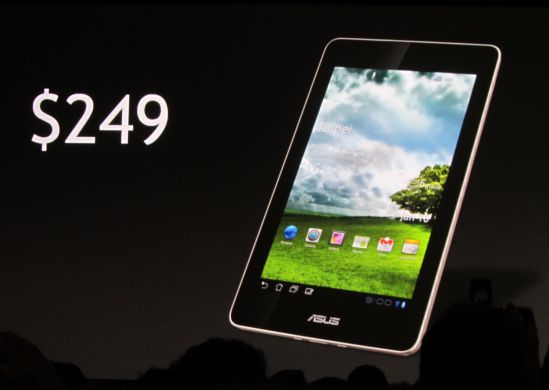
ASUS Eee Pad MeMO ME370T

Asus Eee Pad MeMO MT370T - via Liliputing

  • 7" (1280 x 800) IPS screen
  • Quad core Tegra 3 CPU, 1GB RAM,
  • 8 MP camera
  • Android 4.0
  • There is an older configuration (ME171) which is the original MeMO device with a specialized bluetooth headset and stylus that was previously in the news months back. It has a dual-core 1.2GHz CPU with 5MP rear camera and 1.2MP front camera
  • US$249.
  • Links: ASUS press release, The Verge, Engadget, NVIDIA blog, CNET, Image via Liliputing

Pantech Element

Pantech Element

Lenovo IdeaTab S2

Lenovo IdeaTad S2

OLPC’s XO 3.0

OLPC XO-3

CES 2012 Phone Roundup

Overview of Devices:

  • HTC Titan II: huge phone (4.7″ screen) with a 16 megapixel camera
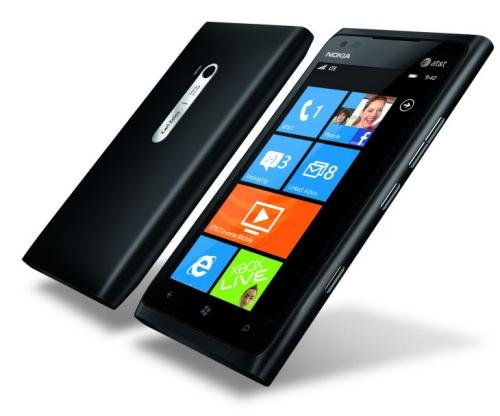
  • Nokia Lumia 900: Nokia’s first truly competitive Windows Phone device (previous had no front facing camera)
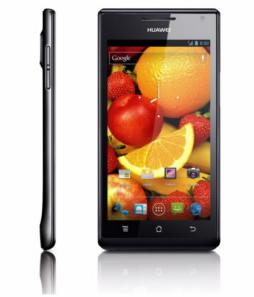
  • Huawei Ascend P1 S and P1: Super slim Android 4.0 (Ice Cream Sandwich) device
  • Lenovo K800: First Intel Atom powered Android (2.3) phone with a 720p screen
  • Lenovo LePhone S2: Unique gesture area for an Android (2.3) phone with iPhone 4S screen resolution (960×540)
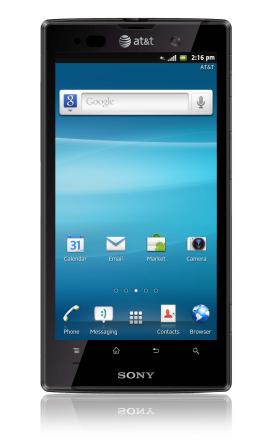
  • Sony Xperia Ion: big LTE phone (4.6″ screen) with a 12 megapixel camera and 720p screen
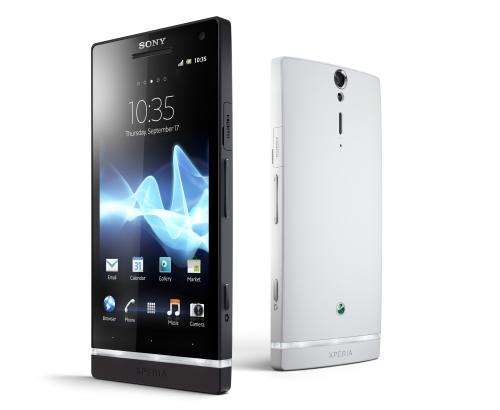
  • Sony Xperia S: mainstream 4.3″ screen with a 12 megapixel camera and 720p screen
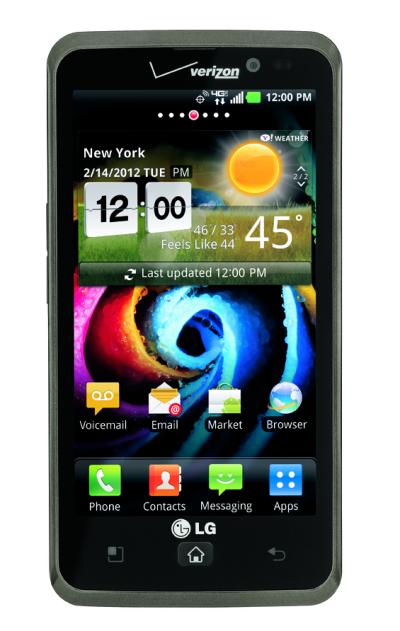
  • LG Spectrum 4G: 4.5″ 720p screen with LTE 4G (LTE/CMDA device not workable in Brunei)
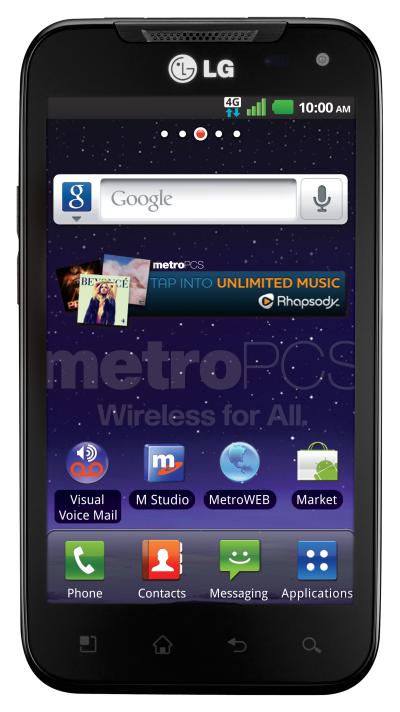
  • LG Connect 4G: 4″ 720p screen with LTE 4G (LTE/CMDA device not workable in Brunei)

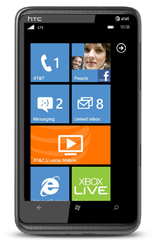
HTC Titan II

HTC Titan II

  • 4.7″ WVGA (800 x 480 pixels) super LCD screen
  • Single core, 1.5 MHz
  • 512 MB RAM
  • 16MP rear camera, 720p video, dual-LED flash
  • 1.3MP front camera
  • Windows Phone 7.5 Mango
  • HSDPA 850 / 1900 / 2100
  • LTE 700 MHz Class 17 / 1700 / 2100
  • Links: GSM Arena, HTC Press Release

Nokia Lumia 900

Nokia Lumia 900

  • 4.3″ WVGA (800 x480 pixels) AMOLED ClearBlack display
  • Single core, 1.4GHz
  • 512MB RAM
  • 8 MP rear camera, Carl Zeiss optics (f2.2/28mm), 720p video, dual LED flash
  • 1 MP front camera (f2.4), VGA video
  • Windows Phone 7.5 Mango
  • HSDPA 850 / 900 / 1900 / 2100
  • LTE 700 MHz Class 17 / 1700 / 2100
  • Links: GSM Arena, Nokia Press Release, Nokia Lumia 900 microsite

Huawei Ascend P1 S and P1

Huawei Ascend P1 S

  • 4.3″ (960 x 540) Super AMOLED with Gorilla Glass
  • Dual core 1.5GHz
  • 8 MP rear camera, 1080p video, dual-LED flash
  • 1.3 MP front camera
  • Android 4.0, Ice Cream Sandwich (ICS)
  • HSDPA 850 / 900 / 1700 / 1900 / 2100
  • “World’s slimmest smartphone”
  • Links: GSM Arena (P1), GSM Arena (P1 S), Huawei Press Release

Lenovo K800

  • 4.5″ 720p (1280×720) screen
  • 1.6Ghz (Intel Medfield platform)
  • 8MP rear camera
  • Android 2.3, Gingerbread
  • Links: GSM Arena, Intel Press Release

Lenovo LePhone S2

  • 3.8″ WVGA (800 x 480) TFT display,
  • Single-core 1.4GHz
  • 8MP rear camera, 720p video
  • 1.3MP front camera, VGA video
  • 200 GB of free cloud storage, gesture area below the screen
  • Android 2.3
  • 8/16GB storage, 512MB/1GB RAM
  • HSDPA 850 / 1900 / 2100
  • Links: GSM Arena, GSM Arena’s Lenovo’s Announcements

Sony Xperia Ion

Sony Xperia Ion

  • 4.6″ 720p (1280×720) HD Reality display
  • Dual core 1.5GHz CPU.
  • 12MP rear camera, 1080p video, LED flash, image & video stabilization (standby to ready in 1.5 seconds)
  • 1.3MP front camera, 720p video
  • PlayStation certified
  • Android 2.3 (Android 4.0 to come)
  • 1GB RAM
  • LTE Band IV and Band XVII
  • HSPA 850/1900/2100
  • Links: GSM Arena, Sony Ericsson Press Release

Sony Xperia S

Sony Xperia S

  • 4.3″ 720p (1280×720) HD Reality display
  • 1.5Ghz dual-core processor
  • 12MP rear camera, 1080p video, LED flash, image & video stabilization (standby to ready in 1.5 seconds)
  • 1.3MP front camera, 720p video
  • PlayStation certified
  • Android 2.3 (Android 4.0 to come)
  • 1GB RAM, 1-1.5GB ROM
  • HSPA 850/900/1900/2100
  • Links: GSM Arena, Sony Ericsson Press Release

LG Spectrum 4G (CDMA/LTE phone, not GSM/UMTS)

LG Spectrum 4G

LG Connect 4G (CDMA/LTE phone, not GSM/UMTS)

LG Connect 4G

CES 2012 Ultrabook Roundup

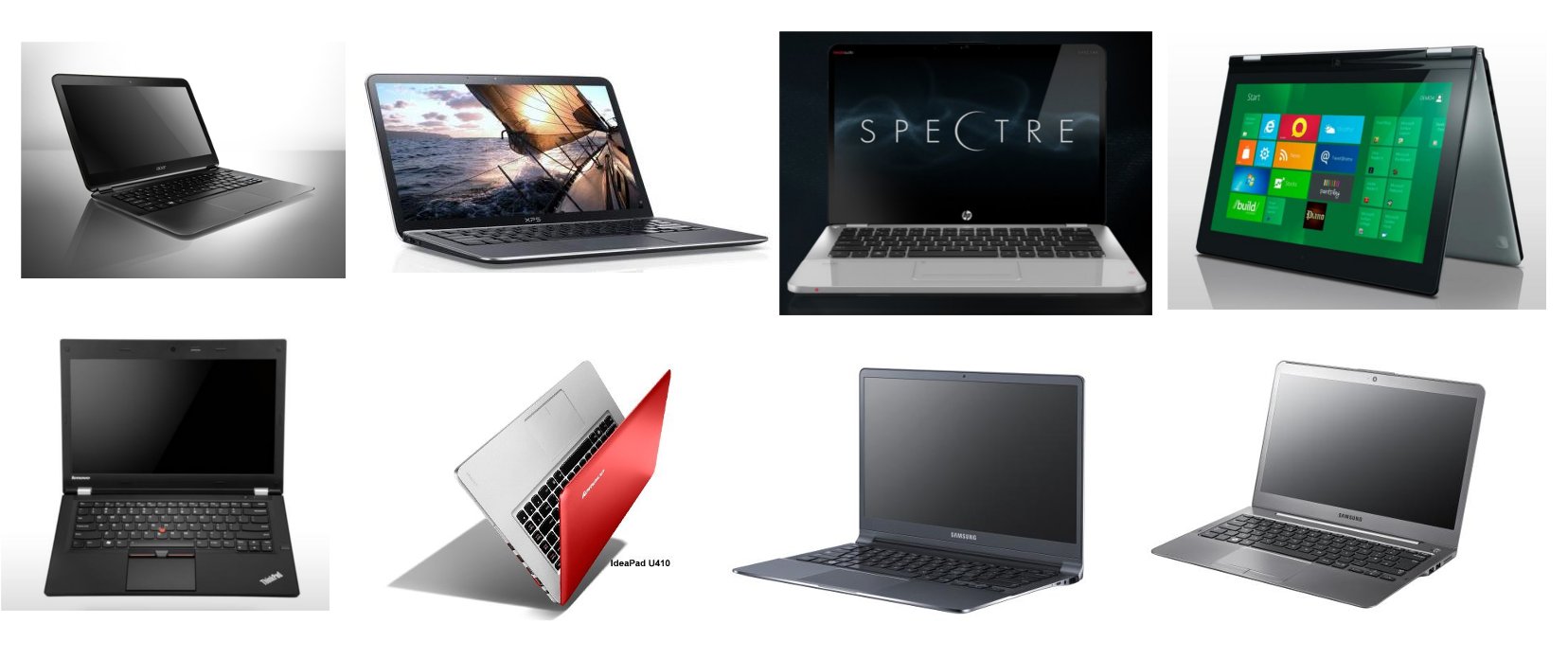
Ultrabooks CES 2012

The Consumer Electronics Show (CES) 2012 concluded last week and showed off what technologies will be coming to consumers this year. This year there were a lot of ultrabooks, phones, tablets and smart TVs (some with Google TV). Below are the ultrabooks announced/previewed at CES.

Key Points

  • Many hitting the under US$1000 mark
  • Less compromises compared those currently out with more ports and full-sized ports
  • Dell XPS 13, HP Envy 14 Spectre, Samsung Series 5 and 9 are/should be available in Q1
Overview of Devices
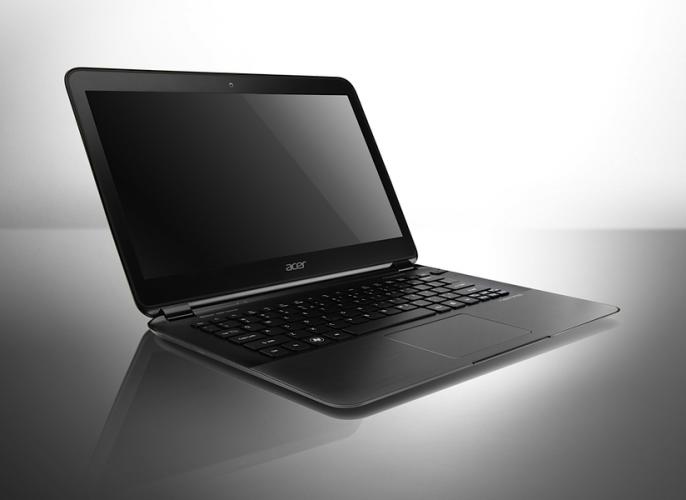
  • Acer Aspire S5: Thunderbolt port with AcerCloud for syncing/backing up data/devices, probably competitive on price as with most Acer products
  • Dell XPS 13: 13″ screen in a 12″ chassis. Smaller form factor for 13″ screen
  • HP Envy 14 Spectre: 14″ screen in 13″ chassis with Beats and an optional 2nd SSD
  • Lenovo ThinkPad T430u: interesting with optional nVidia graphics but looks to be released late in the year with the newer Intel processors
  • Lenovo YOGA: for Windows 8, interesting slate, tablet & laptop usage scenarios
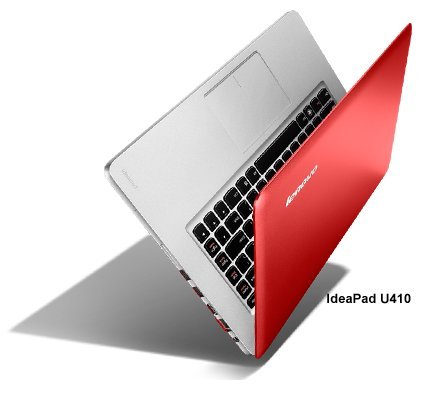
  • Lenovo U310/U410: targeting lower end with the cheap price
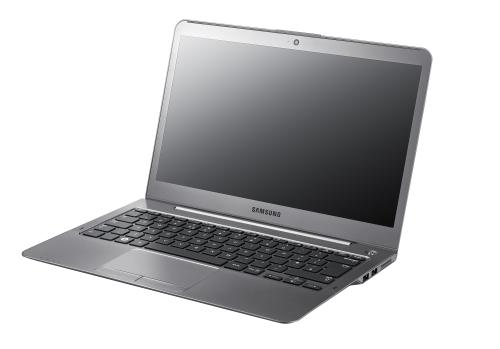
  • Samsung Series 5: mainstream ultrabooks with the 14″ model having an optical drive
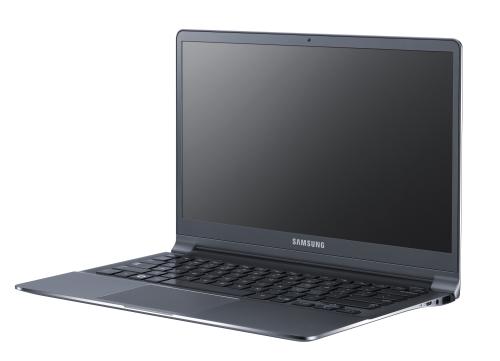
  • Samsung Series 9: premium ultrabooks 13″/15″ but light

Acer Aspire S5

Acer Aspire S5

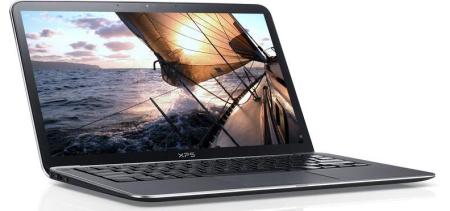
Dell XPS 13

Dell XPS 13

  • 13.3″ (1366×768) screen in 12″ chasis
  • Core i5/i7 processor
  • 4GB of RAM
  • 128GB/256GB SSD
  • 1.4kg
  • 1 x USB 3.0, 1 x USB 2.0 (with PowerShare – charge devices while device is asleep), 1 x MiniDisplay ports (no SD card slot / HDMI port)
  • Backlight keyboard
  • Aluminum lid, Gorilla Glass covered screen, Carbon fibre base
  • Starting at US$999
  • Availability: end of February
  • Links: Dell, Engadgetd, TheVerge, T3 review, TechRadar Review, Ultrabook News database

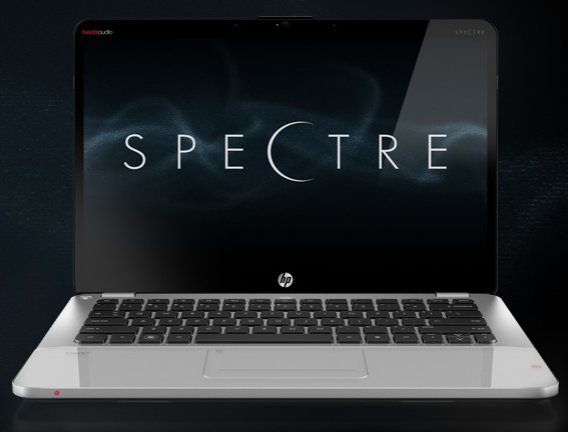
HP Envy 14 Spectre

HP Envy 14 Spectre

  • 14-inch, 1600 x 900 screen in 13.3″ chassis
  • Core i5/i7 processor
  • 4GB of RAM
  • 128GB/256GB SSD
  • 1.8kg
  • 128GB SSD drive with an option to add a second SSD to double the storage
  • Gorilla Glass covered
  • Beats Audio system
  • 1 x USB 3.0, 1 x USB 2.0, HDMI, Mini DisplayPort, Ethernet port, SD card reader
  • Starts at $1,399 (i5, 128GB)
  • Availability: March 2012
  • Links: TheVerge, CNET, Ultrabook News database

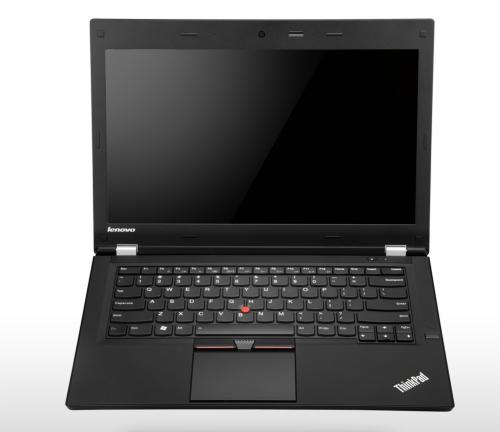
Lenovo ThinkPad T430u

Lenovo Thinkpad T430u

  • 14-inch (1366 x 768) screen
  • Next Generation Intel Core processors (or Ivy Bridge) with optional Nvidia graphics
  • Windows 8 ready
  • 1TB HHD
  • 1.8kg
  • Starts at US$849
  • 2 x USB 3.0 ports, an Ethernet jack, full-size HDMI socket, SD card reader
  • Availability: Late 2012
  • Links: TheVerge, Engadget, Pocket Lint, Ultrabook News database

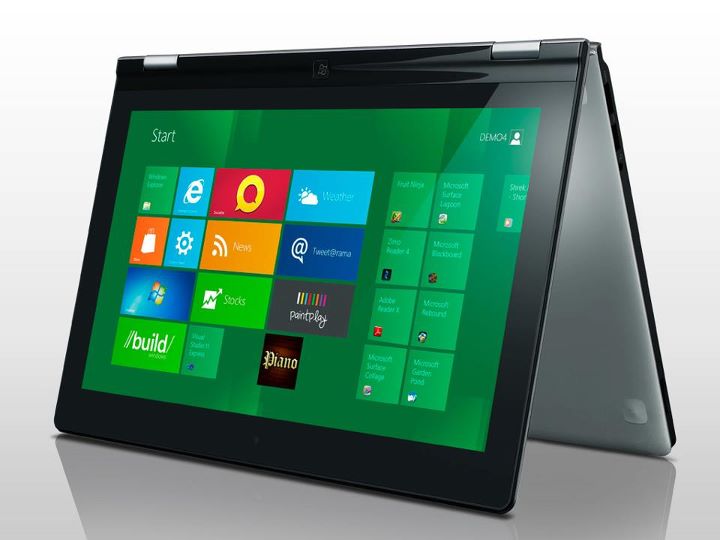
Lenovo YOGA

Lenovo IdeaPad Yoga

  • 13.1″ (1600×900) screen
  • Intel Core processor
  • Windows 8
  • 8GB RAM
  • 256GB SSD
  • 1.47kg
  • 360 degree dual- hinge flip design: screen bends all the way back so that the keyboard becomes a stand or device can be used as a slate
  • 10-point capacitive touch
  • Starts at US$1199
  • Availability: 2nd half of 2012
  • Links: ArsTechnica, TheVerge

Lenovo U310/U410

Lenovo U410

  • 13″ (U310) / 14″ (U410) (1366×768) screen
  • Intel Core processor
  • 2GB RAM
  • 320 GB HHD (configurable with SSD)
  • 1.7kg (U310) / 1.9kg (U410)
  • U310: 2 x USB 3.0, 1 x USB 2.0, HDMI, ethernet,
  • U410: 2 x USB 3.0, 2 x USB 2.0, HDMI, ethernet, SD card reader
  • U410: Nvidia GeForce 610M graphics
  • Availability: May 2012
  • Start at U$699
  • Links: Engadget, TheVerge, TechRadar, Ultrabook News database (U310), Ultrabook News database (U410)

Samsung Series 5

Samsung Series 5 Ultra

  • 13.3″ (1366 x 768) / 14″ (1366 x 768) screen
  • Intel Core i5 processor
  • 128GB SSD / 16GB SSD and 500GB hard drive combo
  • 4GB of RAM
  • 1.39kg (13″) / 1.84kg (14″)
  • 13″: 1 x USB 3.0, 2 x USB 2.0, HDMI, SD card reader, Ethernet, full size HDMI
  • 14″: 2 x USB 3.0, 1 x USB 2.0, HDMI, VGA, SD card reader, Ethernet, full size HDMI, optical drive
  • Starts at US$900 (13″) / US$950 (14″)
  • Availability: End of January
  • Links: TheVerge, Pocket Link, TechRadar, Ultrabook News database

Samsung Series 9

Samsung Series 9

  • 13.3″ (1600 x 900) / 15.6″ (1600 x 900) screen
  • Intel Core i5 processor
  • 4GB (13″) / 8GB (15″) of RAM
  • 128GB
  • 1.1kg (13″) / 1.59kg (15″)
  • 1 x USB 3.0, 1 x USB 2.0, HDMI, ethernet, SD card reader.
  • Starts at $1,399 (13″) / $1,499 (15″)
  • Availability: End of February
  • Links: TheVerge, ZDnet CNET, GSM Arena

Optus MyTab / ZTE V9 Review

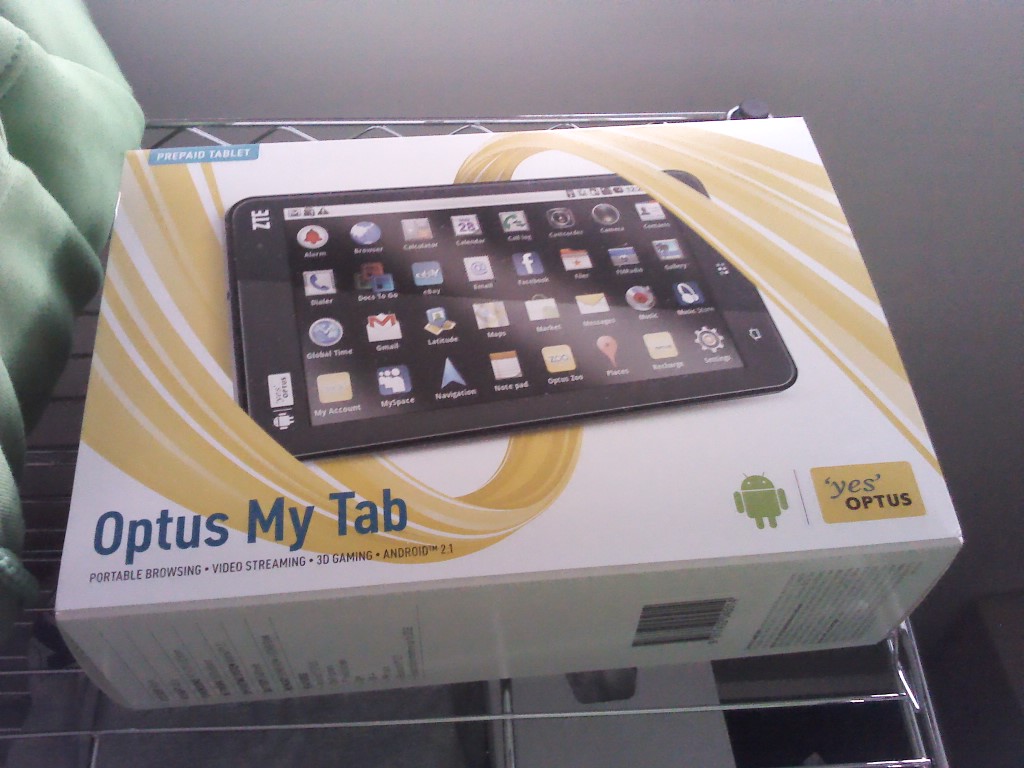
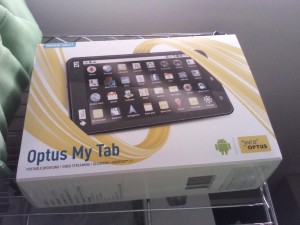
Optus MyTab box

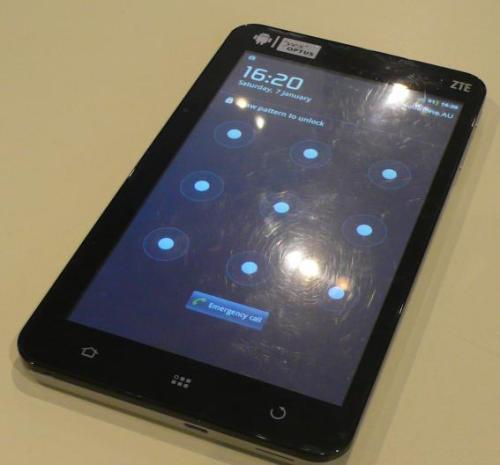
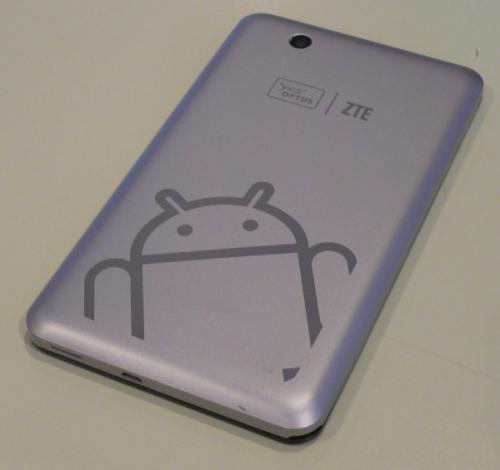
I managed to pick up an Optus MyTab (which is a carrier branded ZTE V9) for AUD$129 back in September and have been thoroughly happy with the purchase. The MyTab is a 7″ Android tablet with full phone capabilities and I bought it to test the 7″ form factor for use as a tablet as well as ereader. I found myself mainly using it as a MiFi or a portable hotspot device that will share your mobile (3G) data over WiFi.

7″ is big yet small
The V9 is small in size and portable, with it easily being put into a back pocket or handbag/man-bag. I found 7″ to be a good size for reading text and saved web pages via ReadItLater however browsing websites may be a hit and miss experience. Since the device doesn’t have multi-touch, it was harder to zoom in and out of web pages that are not formatted for mobile, thus it may be considered too small to view websites in full ‘desktop’ mode comfortably. The width of the device was also just small enough for me to hold it comfortably in one hand. Obviously this will change from person to person but the Galaxy Tab (and Galaxy Tab 7 Plus) are wider and it is not comfortable for me to hold.

Weight is good but could be better
I also found the device a bit heavy when holding it up in one hand above my head while lying down to read: I’ve had some near misses of dropping the device on my head. The only 7″ tablets that I know that are lighter all come from Samsung (Galaxy Tab at 380g, Galaxy Tab 7.0 Plus at 345g, Galaxy Tab 7.7 at 340g).

Resistive touch gets old over time
Some apps will have problems with the resistive screen which does not support multi-touch. Gestures like pinch to zoom are not possible and thus apps that rely on this may have problems: there is no way to zoom in or out in Angry Birds. For non-game apps there should be less of an issue as a zoom in/out control should appear; however I recently noticed it stopped showing in Opera Mini thus the only way to zoom in and out is to double tap the screen. While capacitive touch is desirable, resistive is sufficient for most of my use cases.

On a side note, the resistive screen does not have a uniform responsiveness: on some parts of the screen it is pretty responsive requiring only a light press or touch to active, while other parts require a heavier press. This could just be an issue with this device but is something to note when looking at resistive devices.

No Speed Demon
Having only a 600MHz processor means that this device is not meant for high end apps/games and can be slow at rendering web pages and opening complicated PDFs (eg with embedded vector images) but it is possible albeit slow at times. Not an ideal situation and not a good reading experience for graphic filled PDFs like comics. It also doesn’t support Flash in the browser.

The Camera is so-so
Quality is not great but I believe it is there just to meet the Google requirements in order to get Google apps on the device. The Android Market is highly important has some cheap tablets do not have it and make getting apps more difficult than it should be.

Sample photos (3.1MP: 2048×1536)

Sample Photo 1 (1536x2048)

Sample Photo 2 (1536x2048)

Phone/Hotspot Use
While it is possible to use as a phone, it can be a bit cumbersome as it only has speaker mode unless you use a headset – similar to the Samsung Galaxy Tab. I do like Android’s portable hotspot feature for the device and is something I use very often, which is one thing I dislike about the iPad w/ 3G that doesn’t support Internet tethering.

Battery Life is pretty great
Using as a wireless hotspot sharing 3G over WiFi to my phone: can get over 8 hours of continuous usage (tablet mostly idle in bag but access Internet on phone). I recently put the device into a drawer for several days and accidentally left 3G mobile data on and it still has 90%+ of battery left.

Notification lights are awesome
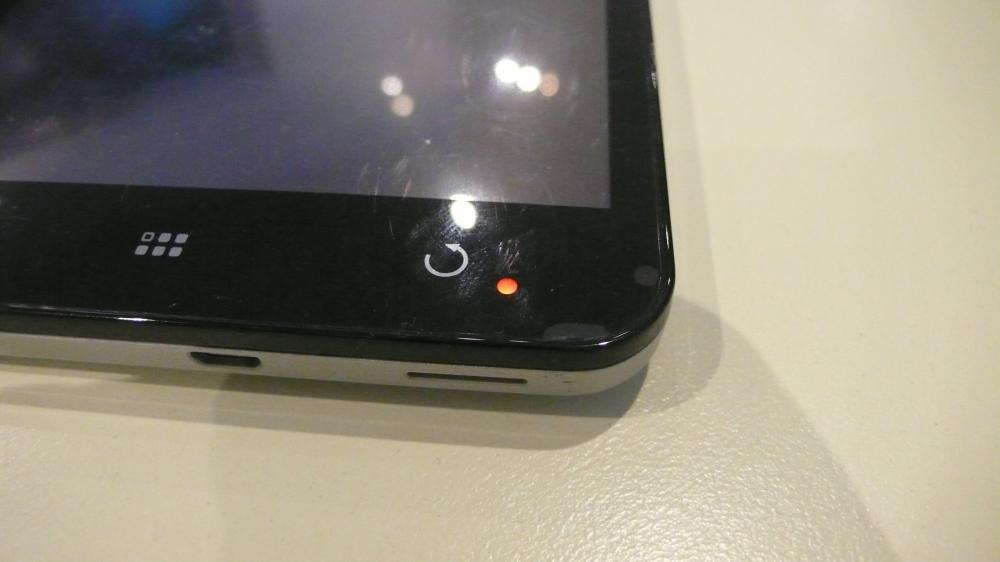
The notification light, located at the bottom-right corner of the device, has 2 colours: green (to indicate > 90% battery when it is charging) and red to indicate unread notifications or that the device is currently charging. It is truley a joy knowing if you have unattended notification without switching on the device to check: a productivity plus.

Weird Audio
The MyTab comes with some Dolby sound enhancements that lets you specify settings for different media that you play, similar to an equalizer, but I found the default settings set the volume too low and sounds distorted. I had to create a custom profile to be able to listen to audio properly.

Charging via microUSB is fantastic
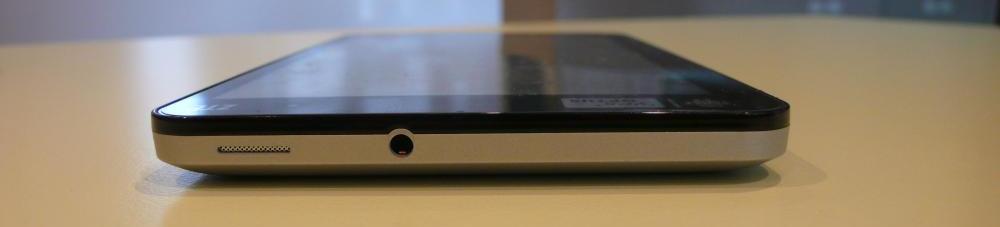
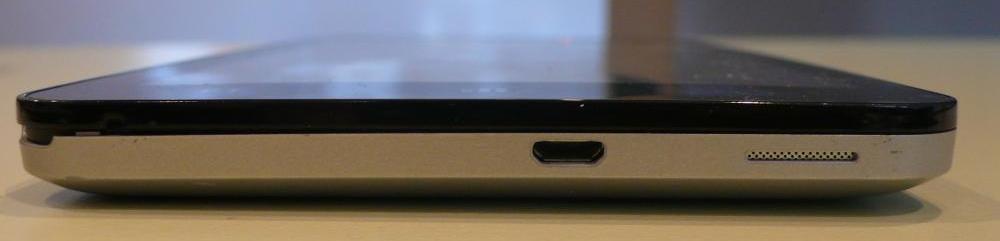
The device comes with a 5V @ 1.5A charger but it can be charged with a standard microUSB cable. With most phones having microUSB connections (the EU has even standardized this for consumer and environmental reasons), the convenience of having only to bring a single cable and charger to charge your devices is so great. I did find that the MyTab does charge slowly over USB (connected to a computer) when tethering 3G data (something my Optimus One is not capable of: it discharges slowly as power drain is higher than charging power)

Summary
While the device isn’t fantastic, it is a good deal for the price: cheaper than a dedicated MiFi device but with much more functionality. I certainly am very happy with this device even though I doubt it will get anymore official updates but it has made me comfortable with the smaller 7″ form factor and I’ll will be looking out for a similar 3G tablet but with better specs in the future.

Good

  • Cheap clearance/end-of-life price
  • Great hotspot battery life
  • microUSB charging

Bad

  • Resistive touch
  • No updates
  • only 160MB+ for apps
  • slow CPU: slow opening documents, no Flash in browser

Ugly

  • Screen does not have uniform responsiveness

Specifications

  • 7″ 800×480 resistive screen (non multi-touch)
  • Android 2.2
  • 600MHz CPU
  • ~160MB for apps
  • RAM: 400MB+
  • 3 MP rear camera (no front camera)
  • 3G (full SIM slot)
  • microSD slot (supports up to 32GB) (comes with 2GB card)
  • microUSB for charging and computer connection
  • 3400mAh battery
  • Notification light, Accelerometer with auto rotate
  • Connectivity: WiFi 802.11b/g, Bluetooth 2, Tri band UMTS (900, 1900, 2100MHz), Quad band GSM
  • Weight: 403g
  • Dimensions: 192mm x 110mm x 12.6mm